Before you approve a print file, open the exact PDF you plan to upload. Read the copy aloud, check the bleed against the product template, and inspect images at their finished size. If a brand colour needs to match, ask about a physical proof on the paper you’ve chosen.
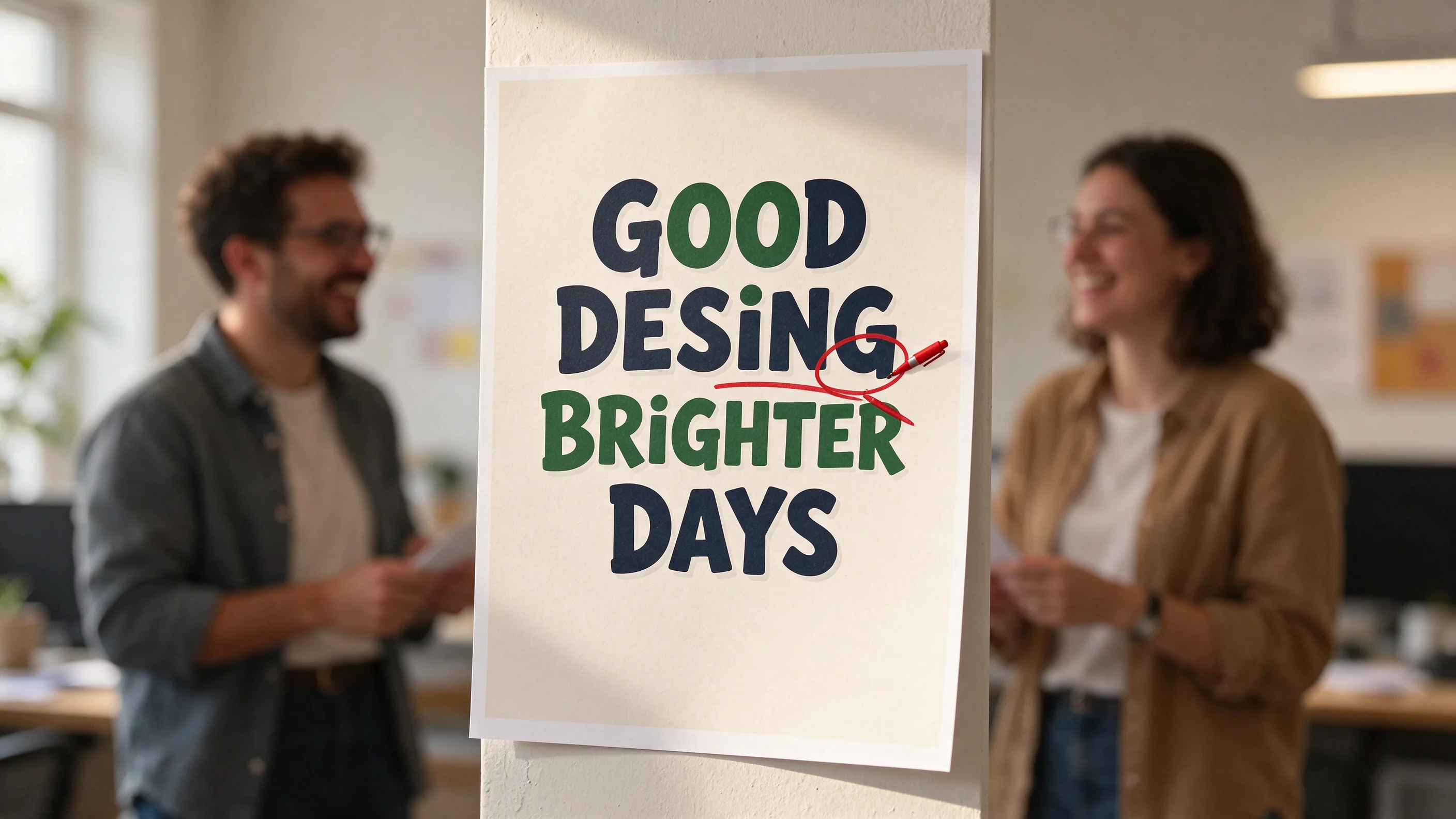
Can you spot the typo?
Take a look at Sunday Loaf’s poster. The bakery made a one-letter mistake that spellcheck missed.
Read the headline aloud from the PDF. Ask a fresh reader to compare names, prices and phone numbers with the original copy.

“Baked daily.” One letter was off. Both words are spelled correctly, so it takes a reader to catch the joke.
Why do white edges appear after trimming?
A slight shift during trimming can leave a white edge. Extend the background past the trim line into the bleed. Keep the offer and logo inside the template’s safe area.
For GoToPrint’s matte photo posters, extend the background 0.125 inches beyond each trim edge. For other products, follow their own template.
Will that orange look the same on paper?
A screen gives off light, while paper reflects it. If that shade of orange is part of your brand, ask about a physical proof on your chosen stock before approving the full run.
Why does a sharp-looking logo print blurry?
A small image can look sharp in an email and fall apart on a poster. Check it at its intended print size. For a logo, use the original vector artwork if you have it.


Which “final” file went to print?
final-final-USE-THIS.pdf sounds convincing until you find another one. Give the approved export a name you can recognise at upload time.
Sunday-Loaf_Poster_18x24in_v03_Approved.pdf Open that exact PDF and read the headline one last time.
Print-ready PDF checklist
Run these five preflight checks on the file you’re sending to press.
of 5 checks complete
Print file questions
What image resolution do I need for a printed poster?
For a poster viewed up close, aim for 300 pixels per inch (PPI) at the finished size. A photo that spans 10 inches at 300 PPI needs 3,000 pixels across. Check the original image dimensions before enlarging it.
What’s the difference between bleed and a safe margin?
Bleed extends colour or photos beyond the cut line so the design reaches the edge after trimming. The safe margin sits inside the cut line. Keep the bakery’s phone number, logo and offer inside that margin.
Can I review a PDF proof before GoToPrint prints my order?
Yes. Choose the free PDF proof when you upload your artwork, then review it in your account. Compare the headline, prices, contact details and finished dimensions with your approved copy before you approve the proof.
Want a second look at your print file?
We’ll check your artwork setup for free. You’ll approve the spelling, prices and contact details.
Request an artwork check